Webex Admin
Personal Access Token
Learn how to get a personal access token for testing Webex APIs with your own account.
anchorAbout personal access tokens
anchorWebex REST API requests must include an API access token in the request's Authorization header. The token must have the data access scopes required by the requested resource. In a production app, you create a Webex Integration and use OAuth to obtain an access token. For testing purposes, however, you can get a personal access token from the Developer Portal to make API calls on your own behalf.
Notes about personal access tokens:
- They should not be used in production apps. Instead, create an Integration with the desired access scopes to obtain access tokens.
- Personal access tokens are valid for 12 hours after logging into the Developer Portal.
anchorGet your personal access token
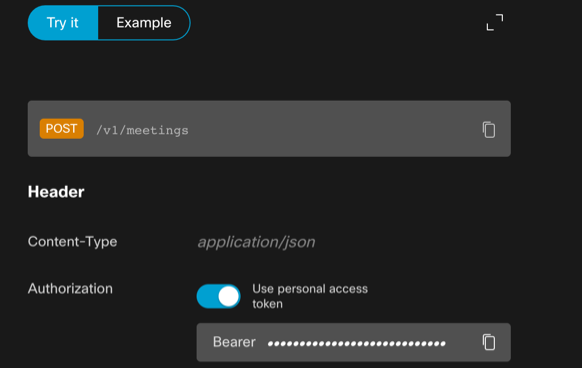
anchorSign in to the Developer Portal and click the copy icon next to the Bearer field below. Click OK to copy the token to your clipboard:
Your Personal Access Token
You can also obtain your personal access token from the Try It section of any API reference page.
anchorUse your personal access token
anchorYou use your personal access token like any API access token, for example:
$ curl --request GET \
  --header "Authorization: Bearer <YOUR_PERSON_ACCESS_TOKEN>" \
  https://webexapis.com/v1/rooms/
anchorNext steps
anchorPersonal access tokens are for testing with your own account. When your application is ready to access Webex on behalf of other users, create a Webex Integration, review the available Integration Scopes, and implement the OAuth authentication flow.